AI Head of Product with Claude
Build an AI Head of Product in Claude that turns customer evidence into priorities, with sources you can check.
Step 1. Connect your company sources
Connect your company sources to a Pensieve context. If you have not done this yet, follow the Overview. Already connected? Move to step 2.
Step 2. Set up Claude
Follow the Claude setup guide to install the Pensieve plugin and sign in. The plugin includes the Head of Product skill. If you already have the plugin connected, start a new conversation in Claude and confirm it is using the right context.
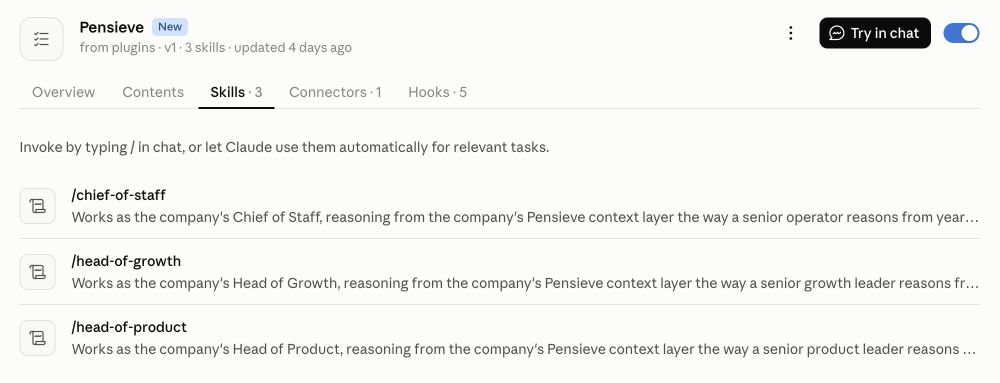
In Claude, open Customize → Plugins → Pensieve → Skills.
Step 3. Run your first review
Ask Claude:
Run the head-of-product skill.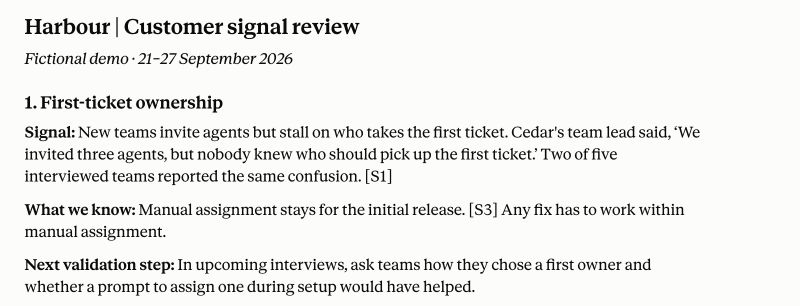
Illustrative Claude response using supplied fictional Harbour notes. The source labels refer to those notes, not live Pensieve citations.
Step 4. Check the evidence and follow up
Look for the few priorities worth acting on, with customer evidence, the relevant product history and a way to validate each one. Open a citation and check that it supports the recommendation. A known limitation or previously declined request should be identified as such.
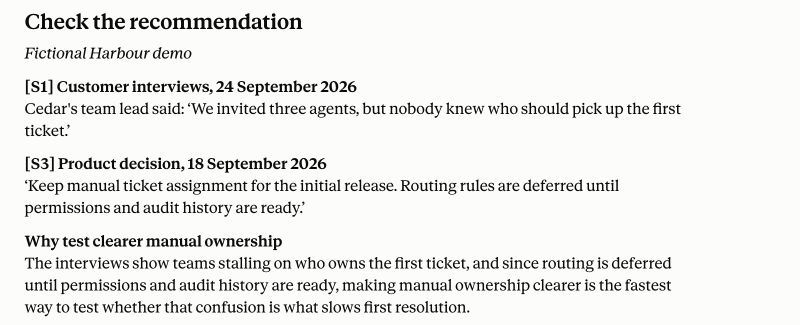
An evidence check using the same fictional notes.
Correct any missing or outdated context before using the result. Then ask a follow-up:
Which recommendation should we validate first, and what evidence would change your view?Step 5. Make it work for your team
This chat is the simplest starting point. You can have the skill run regularly, put its output where your team works and pass work to other agents.
Run it on a schedule. In Claude, open Scheduled → New task → Set up manually. Name the task and paste this into Instructions, replacing the context name and database URL:
Run the head-of-product skill using [your company context] in Pensieve.

Review new customer signals since the previous run. Add actionable suggestions to [Notion database URL], with the evidence, proposed change and next validation step. Update an existing suggestion rather than creating a duplicate. Leave new suggestions ready for review.Choose a Frequency, such as weekly, and a time. Give Claude access to the Notion database through its tools, review the task's Permissions, then save. See Claude's scheduling guide for the available options.
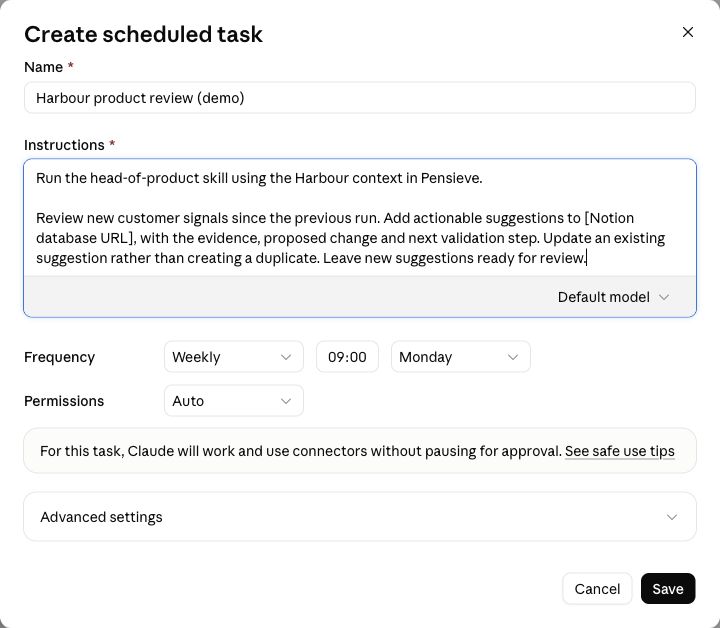
Example setup for fictional Harbour. This draft was not saved or run.
Connect it to other agents. For example, review suggestions in Notion and mark the ones you want built as ready. A configured automation can pass those tickets to a coding agent, which implements the change and opens a pull request for review. Have it link the PR back to the ticket so the next review can see what happened.
- Run Head of Product
- Suggestions in Notion
- Coding agent takes a ready ticket
- Pull request for review
The schedule runs the skill again with the latest context and board status. Pensieve provides the company context; you configure the Notion access and agent handoff separately.
Make the role your own. You can change the destination and requested output in the task instructions. To change how the role works, create your own skill or adapt a copy of the Head of Product skill.
Read how role skills work or how to save corrections to your context.
Up next
Head of Product skill file